Read the FX day at a glance.
Track major FX session centers in local time and on a daylight-saving-aware New York timeline.
Launch price: $4.99 through August 31, 2026 (regularly $9.99).
One-time purchase · local browser tool · no account · no subscription
After download: extract the ZIP and open the included .html file in Chrome, Firefox, Brave Browser, Safari, Microsoft Edge, or another modern browser.
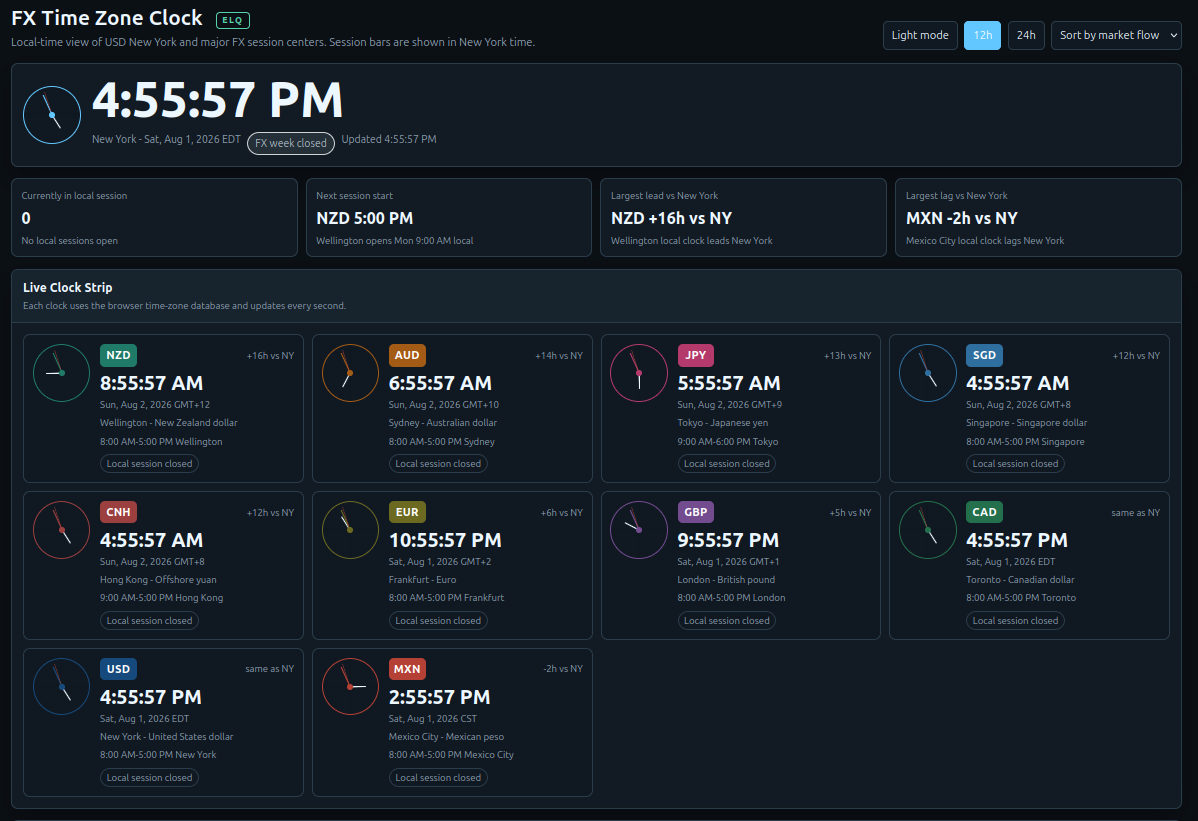
Make the global trading day easier to read.
Compare session centers in the time zone you actually use, with a separate New York reference for the FX day.
Local session clocks
See current local time for major FX session centers using your computer’s time and browser timezone database.
- Wellington and Sydney
- Tokyo and Hong Kong
- London, Frankfurt, and New York
New York timeline
Compare session windows against a consistent New York 24-hour timeline with the practical FX week in view.
- DST-aware offsets
- Session bars and Now marker
- Sunday-to-Friday reference
Views that fit your routine
Use the display that makes the day easiest to scan before planning a session.
- 12-hour or 24-hour display
- Sorting views
- Light and dark themes
Three quick checks before the session.
Open the clock
Open the standalone HTML file in a modern browser. No installation or account is needed.
Check local time
Review the current time, offset, session window, and open/closed state for each center.
Compare New York
Use the New York timeline to see where the major session windows sit in the practical FX week.
Useful context, not a market feed.
The clock runs locally from the browser’s current time and timezone database. It does not connect to a broker or live market feed.
Session centers
Wellington, Sydney, Tokyo, London, Toronto, New York, Hong Kong, Singapore, Mexico City, and Frankfurt.
Practical windows
Session windows are useful liquidity anchors, not exchange rules or guarantees about market activity.
Standalone purchase
Use it without an account, recurring subscription, broker connection, or network connection.
Before you buy.
Does it use live market data?
No. It uses the computer’s current time and the browser’s timezone database. It is a session-time reference, not a price or news feed.
Does it handle daylight saving time?
Yes. The clock uses timezone data to show DST-aware offsets, while the New York timeline remains the reference for session bars.
Does it connect to my broker?
No. It is a standalone browser tool with no broker connection, account, or login.
Do I need a subscription?
No. The clock is a one-time purchase with no recurring charge.
Put the FX day on one screen.
Use a local session clock to understand where the major centers sit in your day and New York time. Launch price: $4.99 through August 31, 2026 (regularly $9.99).