IBKR Trade Journal for Flex Query Import
Import Interactive Brokers Flex Query executions—or manually add executions from any broker—then reconstruct trades and understand what happened after each position closed.
One-time purchase · local browser storage · no broker credentials · no subscription
After download: extract the ZIP and open the included .html file in Chrome, Firefox, Brave Browser, Safari, Microsoft Edge, or another modern browser.
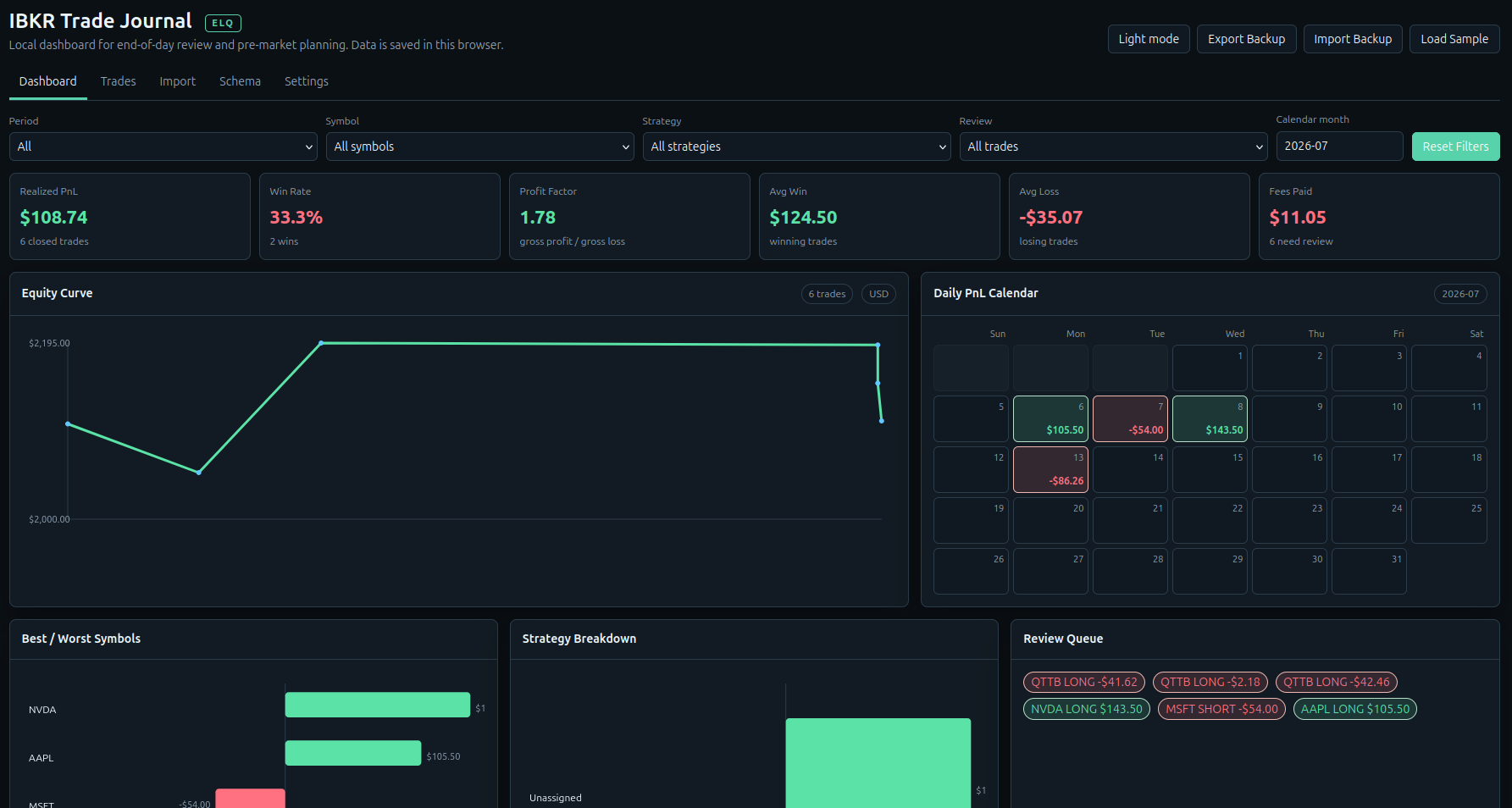
Turn executions into a review habit.
The journal is designed for traders who want a focused record of their decisions without handing account access to another service.
Import or enter executions
Load supported IBKR Flex-style CSV or XML files, or manually add trades from any broker you use.
- Execution deduplication
- CSV and XML import
- Broker-independent manual entry
Reconstruct the trade
Use FIFO matching to turn executions into closed-trade records you can inspect.
- Realized P/L
- Equity curve and daily P/L
- Fees and symbol breakdowns
Record the lesson
Capture the context around the trade, not just the result.
- Risk and R multiple
- Setup grade and tags
- Notes, rule violations, and review status
Three steps from report to review.
Export from IBKR
Create an Activity Flex Query with Trade → Execution selected, then download the report.
Import locally
Open the journal in your browser and import the CSV or XML file. Re-imported executions are skipped.
Review and export
Compare the imported rows, add notes and tags, then export a JSON backup or reconstructed trades as CSV.
Your journal stays on your device.
Imported executions and journal notes use browser-local storage unless you export them. The package contains no broker credentials, account data, database, or automatic broker-sync script.
Standalone HTML
Download the product, open the included HTML launcher, and use it in a modern browser.
Backup when you choose
Use the built-in JSON backup export to keep a copy of your journal data.
Know the boundary
FIFO reconstruction can differ from IBKR tax-lot or statement calculations. Tax fields are planning estimates, not tax advice.
Before you buy.
Does it connect directly to IBKR?
No. You export a supported Flex-style CSV or XML report from IBKR and import it manually. No broker login or automatic synchronization is included.
Can I journal trades from another broker?
Yes. You can manually add executions regardless of the broker you use. Automatic import mapping in this edition is focused on supported IBKR Flex files.
What Flex Query settings should I use?
Use an Activity Flex Query with Trades → Execution selected. CSV with column headers, no header/trailer records, and the supported date/time formats is the recommended starting point.
Is this an official Interactive Brokers product?
No. It is an independent Evolve Quant tool designed to help you review imported trade data.
Do I need a recurring subscription?
No. The journal is a one-time purchase. Product support and update information are available through Evolve Quant.
See what the trade can teach you.
Import your next IBKR execution report into a focused local journal and build a clearer record of your decisions.